Report a problem with photos that help
You send photos and say what you can see; Cuidasa analyses them using the room's history. The clearer the photo, the more reliable the analysis.
When you'll need this
When something in your home has broken or gone wrong: a stain, a leak, a smell, a noise, a loose part.
Step by step
Tap “Report a problem”. Under “Where's the problem?”, choose the “Home” and the “Room”, then tap “Continue”.
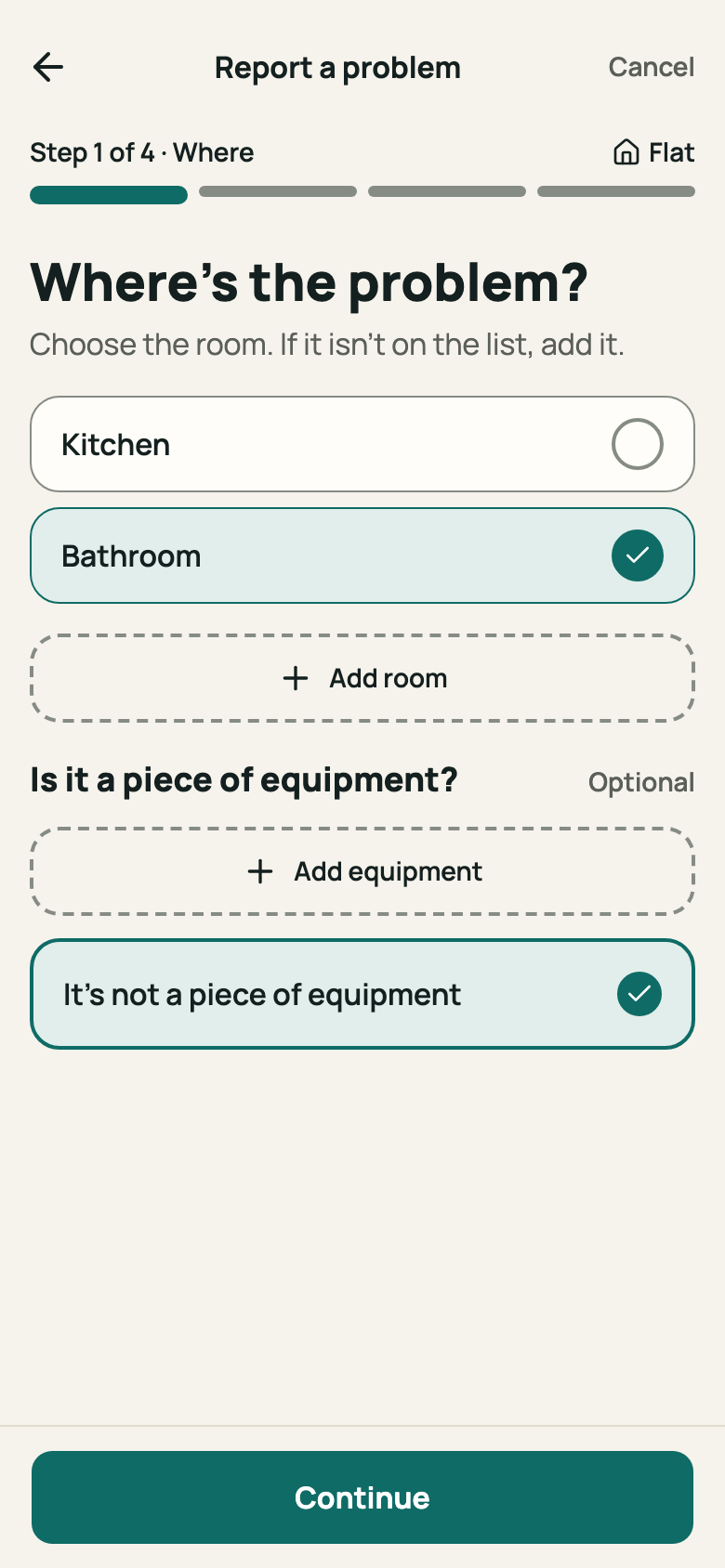
Step 1: “Where” step with a home and room chosen Under “Show us the problem”, add photos with “Add photo”. Take one close up and one of the surrounding room. Tap “Continue”.
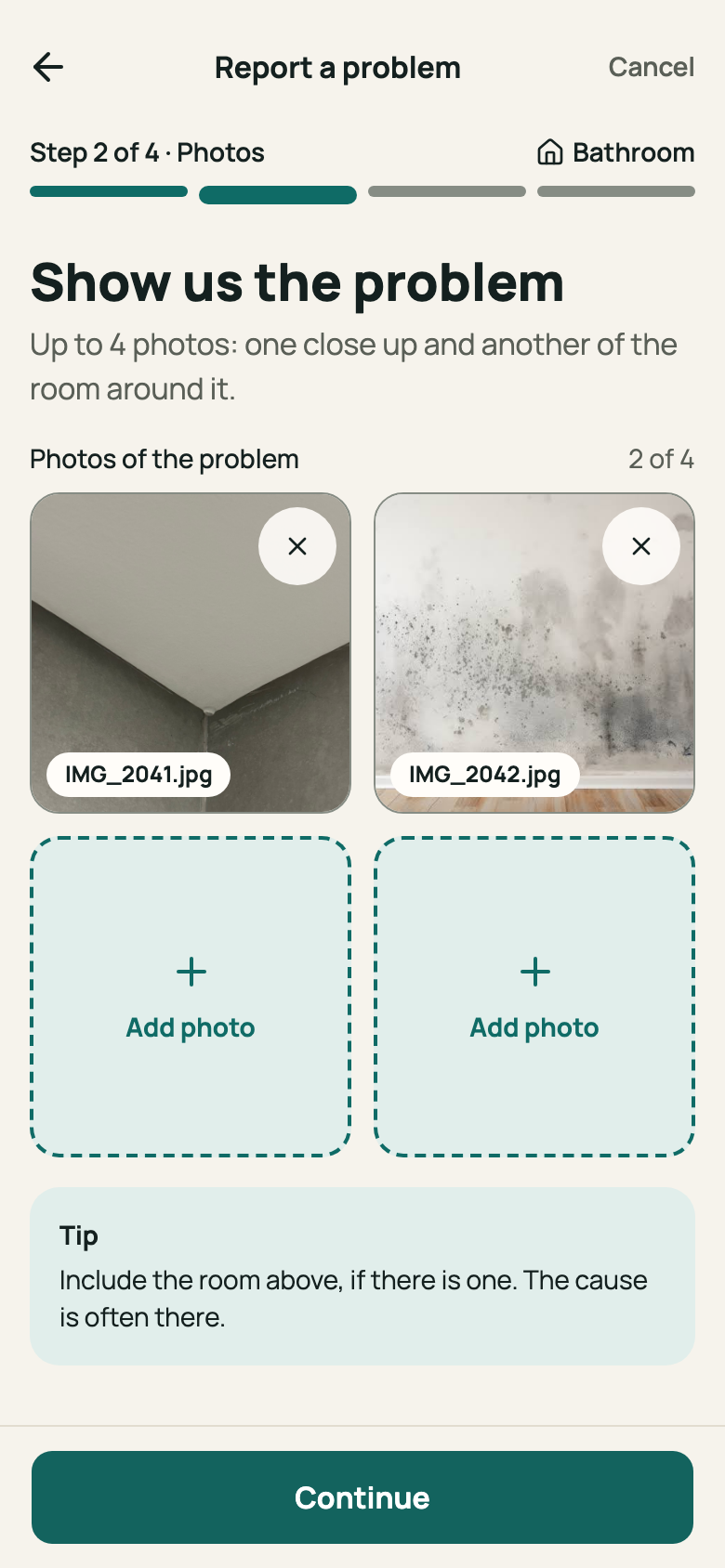
Step 2: “Photos” step with two thumbnails The first time, “Before you send your photos” appears. Read it and tap “Got it, continue”.
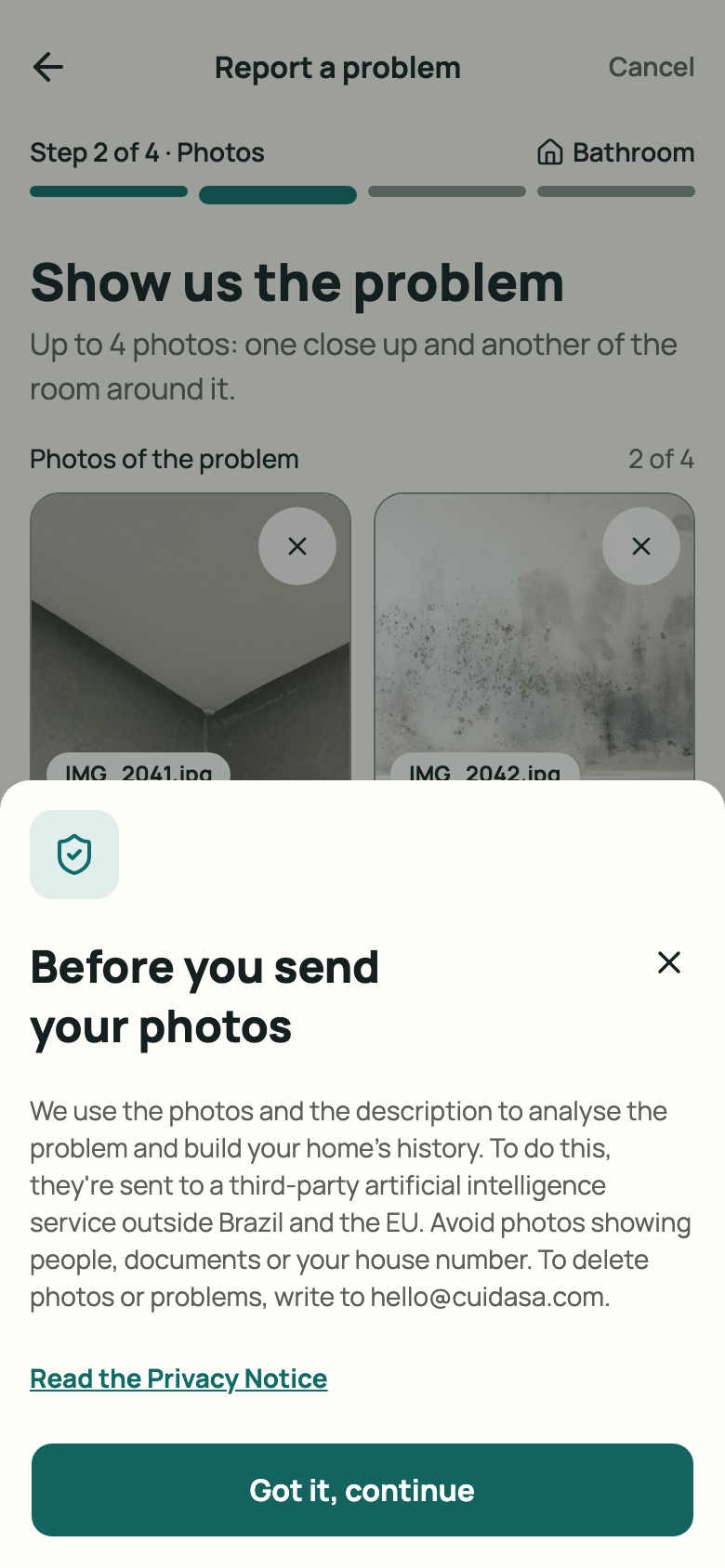
Step 3: “Before you send your photos” notice Under “Tell us what you're seeing”, describe it in your own words. The prompts “When did it start?”, “Is it worse when it rains?” and “Is there a smell?” help. Tap “Analyse”.
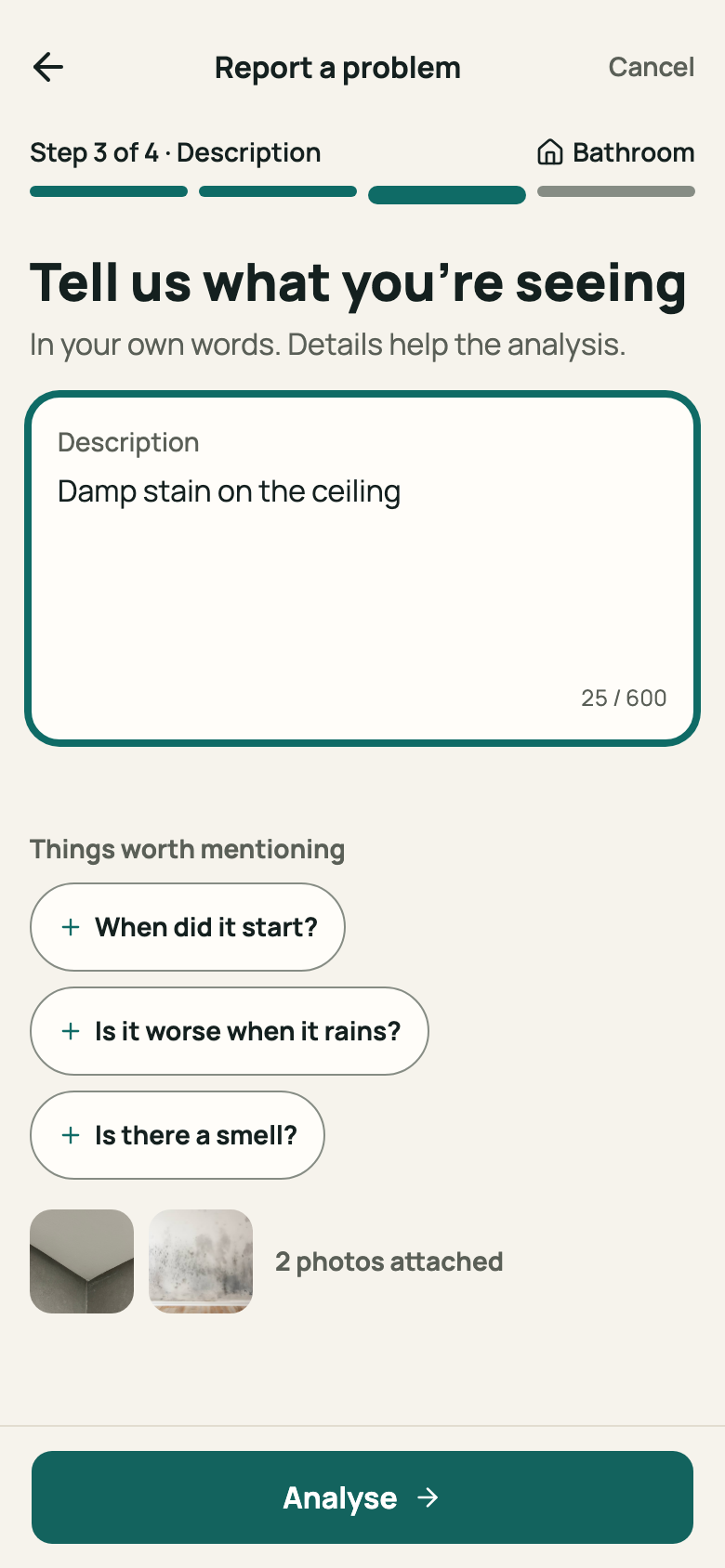
Step 4: “Description” step with text and prompts “Analysing your photos…” appears. It can take a few moments; you can leave the screen with “Back to start” and the result will show up in “Today”.
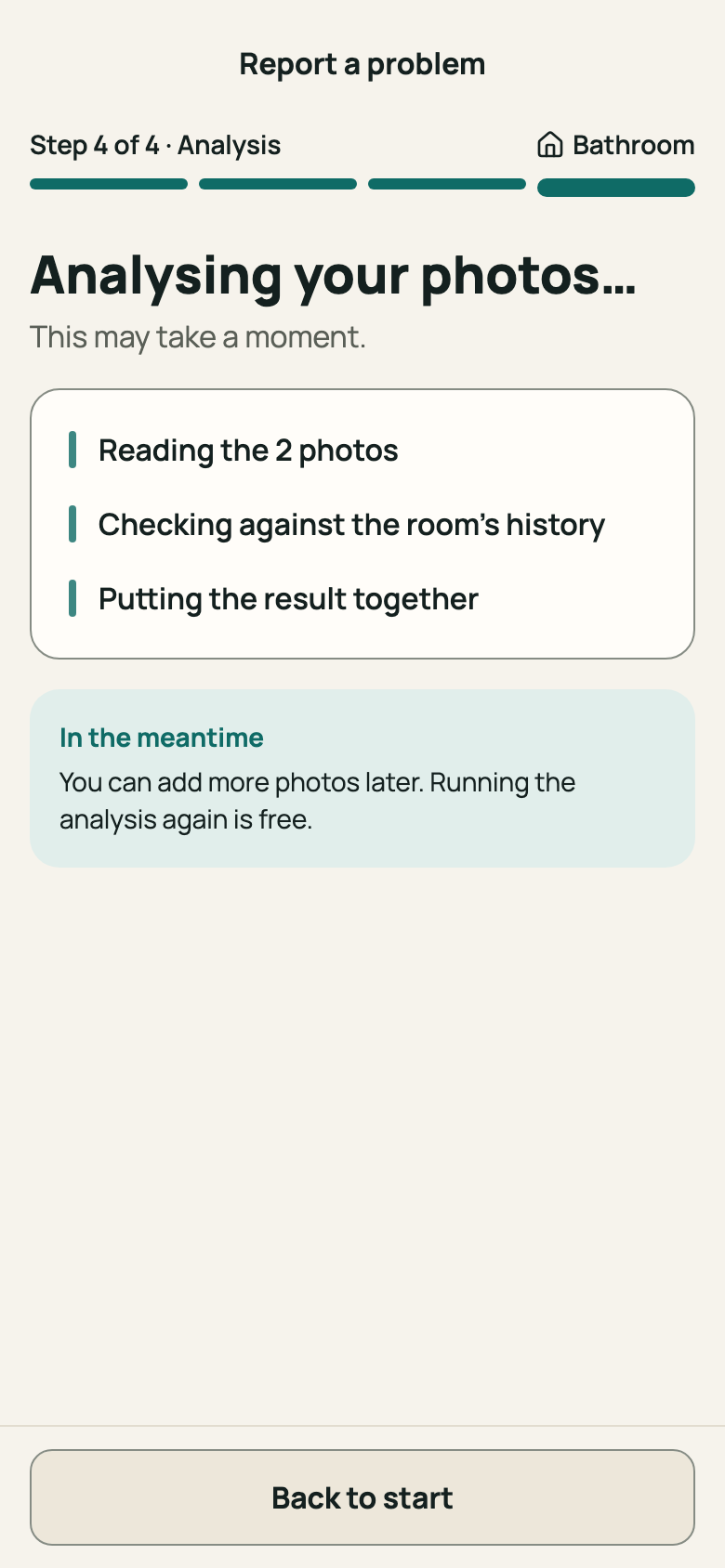
Step 5: “Analysing your photos…” screen
Good to know
- Each problem accepts up to 4 photos. Include the room above, if there is one: the cause is often up there.
- Avoid photos showing people, documents or your house number. Photos are sent to a third-party artificial intelligence service; see Account, data and privacy.
- Each problem can have up to 10 analyses, and your account up to 30 a day. If sending fails, your photos and description stay on screen and you can use “Try again”.
Related articles
Was this helpful?
Thanks for the feedback.
Thanks! Since you didn't accept measurement cookies, we didn't send anything.
Still have a question? Talk to us